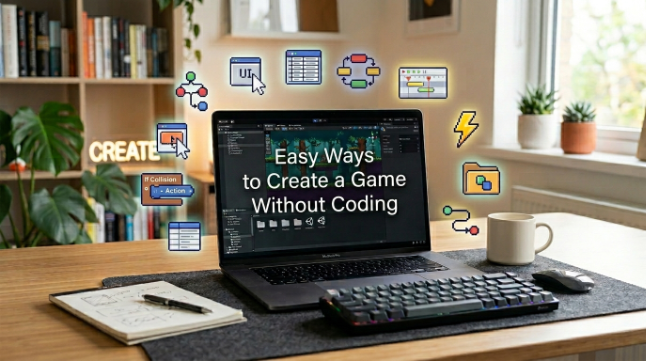
Easy Ways to Create a Game Without Coding

Have you ever wanted to make a game but didn’t know how to code? It can be frustrating to imagine an exciting idea and then not know how to bring it to life. The good news is that you don’t have to be a professional programmer to create a game.
In this tutorial, you’ll learn simple steps to turn your concept into a playable experience without complex programming. For example, you could create a simple game with two or three levels where players learn letters through basic challenges. Platforms like Astrocade can make this process easier by helping creators build and test game ideas. We’ll cover game concepts, no-code solutions, level design, engaging features, and testing so you can build with confidence.
Pick Easy Ideas
When you’re just starting out in game development, start small. A basic puzzle game or racing game, platform game, or collection game can be a perfect first game. Don’t try to create a massive adventure with dozens of characters and hundreds of stages.
Consider a single main goal for your players. They may be gathering coins, crossing a finish line, solving a puzzle, or escaping hazards. Having a clear goal helps you organize your project better and it gives players a reason to play.
Choose No-Code Tools
No-code game platforms benefit beginners because they can minimize the amount of traditional coding needed. Lots of tools come with visual editors and templates, drag and drop interfaces, and simple controls. These options let you focus more on your game concept and less on complex programming.
When selecting a tool, find one that is suitable to your skill level and project. Astrocade is a game system worth checking out if you want a friendly way to play around with game concepts. Start with the core feature set and expand it as you gain confidence.
Build Simple Levels
Good stages don’t have to be complicated. Your first level should teach players the controls and explain the main objective naturally. Give players enough room to understand what they need to do before punishing them with harder obstacles.
Once the simple level works, you can add new obstacles and objectives. For instance, a second stage might add moving platforms, while a third stage introduces enemies or a time limit. This slow ramp keeps gameplay fresh without throwing the players too much too soon.
Add Fun Features
Even minor details can make a simple project seem more fun. You could throw in some sound effects, background music, points, collectibles, animations, rewards, or different characters. Rather than tacking on things just because they look cool, pick ones that suit your game.
You can even make a game with basic incentives that motivate players to keep going. Completing three levels may, for example, unlock a new character or special item. Those little surprises can make things a little bit more fun.
Test Your Game
Testing allows you to find problems before others have a chance to play your project. Play the game yourself a few times and test the controls, levels, sounds, buttons and goals. Anything seems confusing or does not work as you expect?
It will also be useful to have friends or other players try out your game. Notice where they are stuck and hear their feedback. correct the major issues, then test again until the experience is seamless.
Conclusion
You don’t have to be an expert coder to get started on a game. All you need is a simple concept, a beginner-friendly tool, and a dash of imagination to turn your idea into something you can play. For instance, you can play make-believe with a straightforward Fire Rescue Run game to get a sense of basic mechanics and level layout. Starting with small things also helps you understand how each part of the game works.
The biggest step is just starting. Take a small project, try a few concepts, and don’t worry if your first game isn’t a masterpiece. You can learn something new from each game you develop, and they can even help you get better at making that bombshell of a game you’ve always dreamed of.
See also: How Font Helps in Professional Website Design
FAQs
Can I create a game without coding?
Yes. No-code and novice-friendly game creation software allow you to create games with visual editors, templates and other easy-to-use products.
What is the easiest type of game to make?
Easy puzzles and games where you collect things, simple platform games and short racing games are great picks for novice players, as their mechanics are simple to grasp.
Do I need expensive software to make a game?
Not really. There are a lot of tools that are friendly to beginners which have free or inexpensive options. Choose a tool based on the features your project really needs.
Is Astrocade good for beginners?
Astrocade is a gaming platform, that can be digged into by those who fancy quck game development. This is a good choice for beginners who want to get started with a non-intimidating option.
How long does it take to create a game?
That really depends on both the scope and the complexity of the project. An amateur game could be finished in a matter of days or weeks, but a big title could take significantly more time.